The whole program on one page
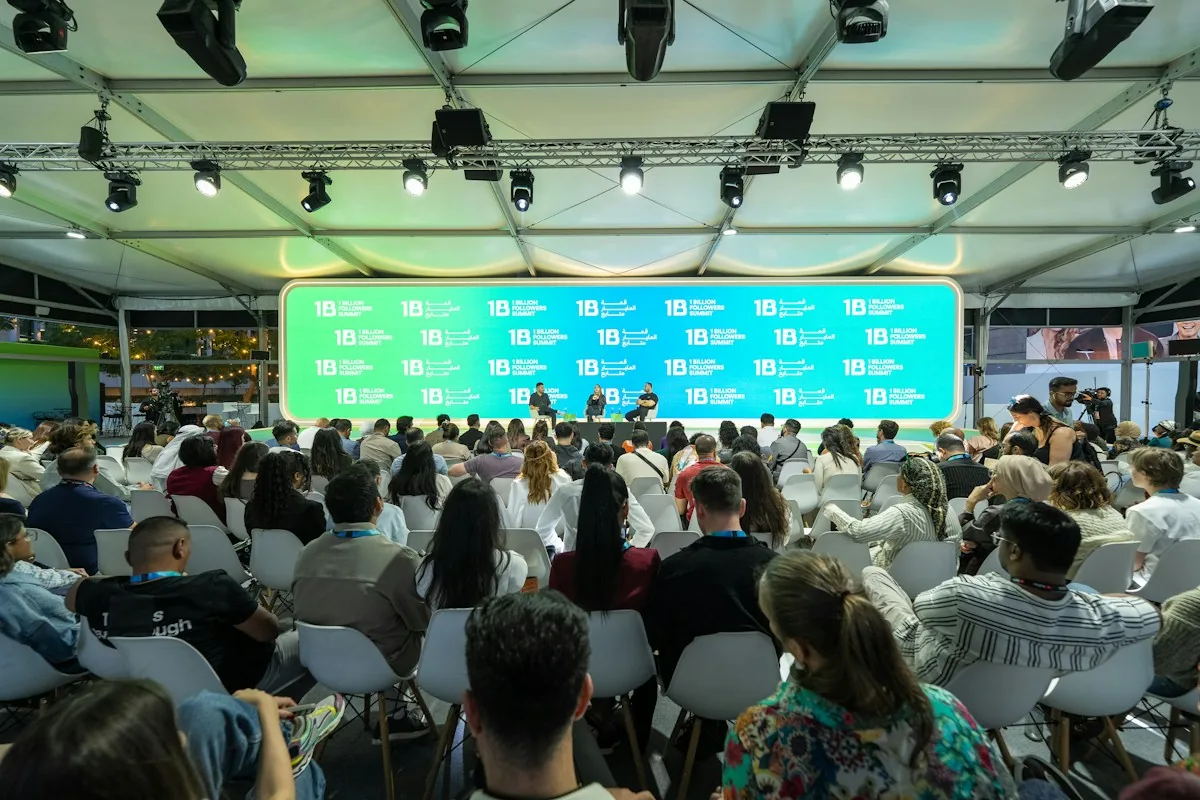
Talks run in program order, and panels are split into chapters, so viewers go straight to the speaker they want.
Video hosting for events
The room empties by six, and that’s when the recordings start working. Attendees who missed a session want them, sponsors want their talk, and people who couldn’t make the trip want everything. Video hosting for events on VodSpot is private video hosting for everything that happens after the event: a replay page for attendees with email sign-in, a page for every sponsor, an expiry date and captions. The live part stays with your event platform—VodSpot doesn’t stream. But the replays play with no ads, no recommended videos and no charge per view.
✓ 7-day free trial 5 GB included No credit card
From the last talk to the last view
Decide who sees what: one page for attendees, one page for each sponsor, and “off-the-record” sessions don’t make it into the recordings at all.
Stream with your own tools—VodSpot doesn’t do live streaming. Your job for those two days is to record every talk as a separate file.
Upload the recordings, add chapters and captions, and publish the page. The link should land while people still remember the room.
The page closes on the date you set, and three days before the expiry date you get a reminder to extend access or let it close. An archive can stay online with no end date.
Why organizers choose VodSpot
Talks run in program order, and panels are split into chapters, so viewers go straight to the speaker they want.
Paste the address list from your ticketing system into “Only these email addresses,” and everyone gets a one-time code. Up to 400 addresses on Pro and up to 1,200 on Studio; for a bigger crowd, use a password.
The page closes on its own on the date you set, and attendees see “Available until” right on the page.
SRT or VTT files, up to 20 tracks per video: English for the room, Spanish for guests from Mexico.
Each gets its own link, its own password and the exact original of their talk for their own channels.
For every page: opens, views, viewers, average completion and downloads, with CSV export on Pro and above.
Video hosting for events, explained
Video hosting for events is hosting for what’s left after an event: recordings of talks, panels and keynotes. It’s not for the live stream—it’s for the twelve months after it.
Meet Victor. He runs a two-day industry conference in Charleston: 280 people in the room, 22 talks, six sponsors. For three years running, the recordings sat on YouTube behind an unlisted link. YouTube’s own help page warns plainly that such videos “can be seen and shared by anyone with the link.” And that’s exactly what happened: in year three, someone posted the link in an industry group chat on LinkedIn, and talks that attendees had paid $450 to see were open to anyone.
Victor isn’t alone. Bizzabo, a company that makes event software, collected 1,558 survey responses for its 2025 State of Events report. 82% of organizers offer their events as on-demand video. Of those, 53% keep it private, another 23% keep some recordings private and some public, and only 24% make everything public. Private recordings aren’t paranoia anymore—they’re the industry norm.
Good video hosting for events answers four questions. Who watches: attendees, sponsors, speakers, each on their own page. For how long: until the date you choose. What can be downloaded: the exact original, and only by the people you allow. And what a thousand views cost: on VodSpot, nothing on top of the plan, because the price depends only on storage.
What’s not on that list is the live stream. Your event platform or the AV company in the room handles that, and video hosting for events picks up once the stream ends.
The event lasts two days. Its recordings work all year.
When organizers search for “event video,” they almost always land on live streaming platforms. They’re great, just built for a different job.
If your event platform or AV company already runs the live stream, you don’t need to pay for a second set of streaming tools just to host the recordings. Video hosting for events on VodSpot Pro costs $590 a year—$4,210 less (−87.7%) than Vimeo Studio at $4,800 a year. Even VodSpot Studio, with ten seats and a viewer-email watermark, costs $1,490 a year: $3,310 less (−69%).
YouTube Live is free, but after the stream the recording stays in the YouTube player, ads and recommendations included. If the player suggests a competitor’s video right after a sponsor’s keynote, that’s an awkward conversation. Why unlisted links travel so far is covered in our guide on how to share a private video on YouTube.
To be honest about the limits: VodSpot doesn’t do live streaming, registration, ticket sales or networking. It’s video hosting for events for the recordings, and that’s exactly what it’s good at.
Live streaming sells tickets. Recordings prove it was worth the money.
There are two honest ways to do it, and the choice depends on the size of the room.
Password. One password for everyone, sent in one email, and you’re done. But passwords travel: they get forwarded to colleagues, and a week later you no longer know who’s watching. For a small workshop, that’s enough. For how to send passwords so they don’t leak, see the password-protected video sharing guide.
Email sign-in. You paste the list of ticket buyers into the “Only these email addresses” field. Attendees enter their address and get a six-digit code by email. If the address isn’t on the list, no code goes out. Set “Remember viewers for” to 7 or 30 days and nobody needs a new code for every visit: an attendee confirms their address on Monday and watches day two on Wednesday with no extra steps. And you can see which addresses opened the page.
Here’s how Victor set it up: 280 attendees plus 90 people who bought a “recording pass”—370 addresses in all. For video hosting for events, his Pro plan takes up to 400 addresses per workspace; Studio takes up to 1,200. If the conference outgrows those numbers, a password covers the main sessions, and email sign-in stays for the most valuable content: masterclasses and closed-door sessions. If someone returns a ticket, delete the address: it loses access right away, and a player that’s already open stops within about a minute.
And the most important rule: not every session belongs on the page. A speaker who shared company plans off the record shouldn’t turn up online. Keep those sessions off camera, or put them on a separate page with its own list.
You checked tickets at the door to the room. Check them at the door to the recordings too.
Sponsors aren’t a nice extra in the budget. In the same Bizzabo 2025 report, 37% of organizers said sponsorships bring in 40 to 60% of their event revenue. And 69% share event data with exhibitors so they can prove their participation paid off. In other words, a sponsor renews next year when you show them the numbers.
Video hosting for events on VodSpot gives every sponsor a page of their own. Victor has six. Each one holds the sponsor’s talk and the panel they sat on, a cover with their logo, their own password and a button to download the exact original, so the sponsor’s marketing team grabs the file for their website and social channels with no recompression. A sponsor from Munich gets a page in German, with the buttons, labels and password screen all in their language.
A month later, Victor opens the project analytics. For every page: how many times it was opened, how many views and unique viewers it got, average completion and downloads. On Pro and above it all exports to CSV, so his email to the sponsor carries a table instead of “looks like people watched.” More on what the analytics count is on the video analytics page.
One line is worth respecting: share totals with the sponsor, not attendees’ addresses. Attendees never agreed to hand their email to an advertiser. VodSpot works on the same principle, by the way: no ads, no third-party trackers, and viewers’ IP addresses aren’t stored.
The sponsor pays for the stage. They renew because of the numbers.
Not everyone who wanted to come could make it. Flights, hotels, a week away from family: for many people, that costs more than the ticket itself.
Researchers at the University of Texas at Austin, led by Matthew Skiles and Manish Kumar, compared science and engineering conferences before and after they moved online. They looked at the cost of attending, gender, career stage and geography. The results, published in Nature Sustainability in 2022, showed a clear improvement on almost every measure, in some cases by orders of magnitude. In surveys, attendees explained it simply: fewer financial and personal barriers.
There’s a cost to the planet, too. Cornell University engineers Yanqiu Tao and Fengqi You and their colleagues ran a life-cycle assessment of a conference, from flights to the electricity in the hall, and published the results in Nature Communications in 2021. A fully online format cuts a conference’s carbon footprint by 94% and its energy use by 90%. A hybrid with carefully chosen hubs cuts both by about two-thirds and still lets more than half of attendees come in person.
Victor built his hybrid without a single live stream. People who can’t fly to Charleston buy a “recording pass” for less than a regular ticket, and a day after the conference they get the same page as the people in the room. The pass sells through his ticketing system, and video hosting for events handles access: the buyer’s address simply goes on the list. Captions are for people watching on the subway with the sound off, chapters for those who need one speaker, and resume playback for those who watch a bit each evening. For more, see our article on captions and accessible video.
To be fair, the same Skiles study says online networking and poster sessions still have room to improve. A recording won’t replace a hallway conversation, but it carries every talk. If the recordings turn into an archive that lives for years, see the guide on how to build a community video library, and festival organizers may find the guide to festival video hosting useful.
Not everyone could come. Everyone can watch.
FAQ
With video hosting for events like VodSpot, put the recordings on a single delivery page and turn on email sign-in: paste the list of ticket buyers into “Only these email addresses,” and each attendee signs in with a one-time code. For a large crowd, a password works. Set an expiry date, and the page closes on its own.
Yes. Videographers deliver recap films and full event recordings on VodSpot, with the exact originals available to download. Learn more on video hosting for videographers.
No. VodSpot is video hosting for events for the recordings: stream on your event platform or through your AV company, then publish the recordings on VodSpot.
Yes. Add chapters—up to 100 per video—and viewers jump straight to the talk or speaker they want. Chapter markers show on the player’s progress bar and as a list on the page.
Usually 30–90 days: enough time to watch, without the recordings circulating for years. VodSpot offers 7, 30 or 90 days, a custom date, or “No expiry” for an archive, plus a reminder three days before the expiry date.
Yes. Create a sponsor page, turn on “Video downloads” and add their talk; they download the exact original with its original filename. Downloads go one video at a time; there’s no ZIP of the whole page.
VodSpot doesn’t take payments. Sell “recording passes” through your ticketing system and add buyers’ addresses to the list on a page with email sign-in. They buy, they get a code. If someone returns a ticket, delete the address and access ends right away.
For video hosting for events at a small event with a password, Solo is enough: $24 a month, 150 GB. Email sign-in, detailed analytics and CSV export start on Pro: $59 a month, 500 GB, up to 400 addresses. Studio at $149 gives you 1.5 TB, up to 1,200 addresses and a viewer-email watermark. A conference with 22 talks in 1080p takes about 66 GB (our estimate). For details, see the pricing page.
Guides
Events
A festival’s video life starts months before the first show and continues long after the last one. Here is how to host it at every stage.
Read the guideCommunities
Gaming guilds, cycling clubs, fan communities and local groups all collect video. Here is how to turn a pile of clips into a library people actually use.
Read the guideAccessibility
Accessible video is mostly about a few good habits: accurate captions, a player you can use without a mouse and a transcript for people who prefer to read.
Read the guideFor events
Start with seven days and 5 GB. No credit card required.