You've probably seen them hundreds of times. A translucent channel logo in the corner of the screen. A creator's username jumping around a TikTok video. A large "SCREENER - NOT FOR DISTRIBUTION" overlaying a movie someone posted before the premiere.
A logo. A caption. Someone's email diagonally across the frame. All of these are called by one word: a watermark.
And here's where the confusion begins. Very different things exist under the same name. A logo in the corner protects the brand, but it doesn't protect the file: it gets cut off in a minute. A caption with the viewer's name doesn't prohibit anything, but it changes the viewer's behavior: it's hard to record the screen when your own email is overlaying the movie—that's exactly how the watermark is designed at VodSpot. And the third type is completely invisible—and it's the one that finds people who recorded a movie on a phone from the theater screen.
Below is what a video watermark is, the different types and what each one actually does, how to add one in iMovie, Premiere Pro, DaVinci Resolve, and CapCut, how it differs from DRM, and honestly, does it stop leaks?
And if you're a director sending out screeners, or an agency with pre-release advertising, there's a separate section for you at the end.
Video Watermark Types
Short answer: a video watermark is a mark in the frame or within the image that identifies the video's owner, and sometimes, who was entrusted with it.
Where the word comes from. There's no water or paper in video, but that's where the name comes from. In the late 13th century, craftsmen in the Italian town of Fabriano devised a way to sign their paper. They wove a thin wire figure—a cross, a circle, and later, a letter or a coat of arms—into a mesh mold used to scoop paper pulp from a vat. The mass lay slightly thinner over the wire, and if the finished sheet was held up to the light, a light pattern would appear. Silvia Albro, a paper conservator at the Library of Congress, cited the earliest record of Fabriano papermakers in a lecture on them—a notarial register listing eight craftsmen at work.
The first watermark offered no protection. It was the craftsman's signature: the buyer could see which mill the sheet came from and knew what quality to expect. Seven centuries later, the idea is the same—a mark that tells the story of origin. Only what it tells has changed: now it's not just "who made it," but also "who it was given to."
Today, there are four main types of video watermarks.
| Type | What it looks like | Who uses it | What it stops | What it doesn't stop |
|---|---|---|---|---|
| Static, visible | Logo or inscription in one place, usually in a corner | TV channels, bloggers, photo stocks, studios on draft cuts | Silent appropriation: you can't pass off someone else's video as your own without ruining the frame | Frame cropping, corner blurring, leaks—the mark is the same for everyone, it won't reveal who leaked it |
| Dynamic, visible | Viewer's name, email, or code, the mark moves around the frame | Screener platforms, private screenings, paid courses | Screen recording "just in case": your own address is in the frame | A determined person who doesn't care, and the downloaded original, if the mark is only superimposed in the player |
| Forensic (invisible) | Nothing is visible: the unique code is hidden in the image itself | Hollywood studios, movie theaters, streaming services, sports broadcasts | Leak anonymity: the code survives compression, cropping, and screen recording on a phone | The leak itself: the mark finds the culprit later, rather than hindering them now |
| Audio | Inaudible code in the audio track | Audience meters, cinema projection | Works even when the image is altered beyond recognition | Video without sound or with a replaced track |
More on each below.
Static visible watermark. The simplest and most common. In television, it's called a "bug"—that same channel logo in the lower right corner. Why it's needed: if the video goes viral, the viewer will see where it came from. For a blogger, it's advertising; for a photo stock, it's a way to showcase their work without giving it away; for an editor, it's the word "DRAFT" on a draft to prevent the client from accidentally uploading an unfinished version.
What's the difference between a good and a bad static watermark? A good one is legible but doesn't interfere with the image: it's small, translucent, and placed where it doesn't obscure faces or credits. A bad one is either huge and obscures the viewer's view, or tiny in the very corner, in which case it's cropped out. The main limitation of a static watermark is that it's the same for all viewers. It answers the question "Whose is this?" but remains silent on the question "Who leaked it?"
Audio watermark. It's neither seen nor heard, but it's all around us. Nielsen, which tracks American radio and TV audiences, embeds inaudible codes into broadcast audio, and its research panelists carry a small device that picks up these codes. This is how Nielsen finds out which station a person was listening to in the car or at a cafe. The same principle works in movie theaters—more on that below.
Dynamic Watermarking
A dynamic watermark is a visible mark that changes. This term usually refers to two things at once.
Content changes. Each viewer sees something different: their email address, name, order number, or login time. This is the main difference from a logo. A logo says, "This is a video from Studio X." A dynamic watermark says, "This is a video from Studio X, and [email protected] is watching it." If the recording surfaces online, the question of "who" is answered in a second—just read the caption.
Position changes. The caption isn't stuck in a corner, but periodically jumps to a new location in the frame. Why: A static watermark can be easily covered, blurred, or cut off. A watermark that's been in every part of the frame can't be removed that way—it would ruin the entire film.
Let's do the math on a napkin. Let's say the caption changes position every seven seconds. In a ninety-minute film, that's 5,400 seconds—about 770 different positions. This is our calculation, but the idea is clear: you can't "cut out a corner"; there's no corner.
How it works in practice. You open a link to a private screening, enter your email, receive a code by email—and a minute later, you see your address in translucent text over the film. It doesn't interfere with viewing, but it's also hard to forget. This is how, for example, the watermark works in VodSpot's secure video hosting on the Studio and Production plans: on delivery pages with email login, the viewer's verified address appears over the video, along with your own text of up to 80 characters if you wish; the text moves across the frame every seven seconds and doesn't disappear in full-screen mode.
Why this works, even if nothing prohibits it. People behave differently when they feel visible. This is covered in the section on leaks; there's a good study and honest debate about it there.
How to distinguish a good dynamic watermark from a bad one:
- The caption is a person, not a word. "CONFIDENTIAL" over a movie doesn't stop anyone: it's the same for everyone. An email address or a specific viewer's name does.
- Address verified. If the viewer can enter any email, they'll enter someone else's. The mark is meaningful when the address is verified with a code or login.
- The mark remains in full-screen mode. Check for yourself: open the video, expand it to full screen, and see if the caption disappears.
- Readable, but not intrusive. If the caption covers half the character's face, the viewer will remember the irritation, not the movie.
Overlay or "burn-in." A dynamic watermark can be created in two ways. The first is an overlay in the player: the browser draws the caption over the video, while the file itself stays clean. This is fast and cheap, but a technically savvy person could theoretically hide the overlay, and the downloaded file arrives unmarked. The second option is to burn the mark into the image, meaning a separate copy is created for each viewer. This is more reliable, but each copy is a separate encoding of the entire film, and for hundreds of viewers, that means hundreds of re-encodes.
Forensic Watermarking
A forensic watermark is an invisible code hidden within the image or sound itself. The viewer doesn't notice anything. A special program, given a leaked copy, finds the code and tells where the copy came from.
It sounds like a spy movie. In reality, it's a normal part of your moviegoing experience.
What's happening in the theater. Most movie theaters have long been showing films on digital projectors using the DCI standard, developed by a coalition of major Hollywood studios. In a review of this specification, engineers Ali Bilgin and Michael Marcellin described what it requires: an invisible code of at least 35 bits is embedded in the image and sound of every digital screening in real time. Sixteen of these bits represent time, accurate to fifteen minutes, and another nineteen represent location. The entire code is repeated in every five-minute segment of the film.
Another napkin. There are 35,040 quarter-hours in a year, and sixteen bits can accommodate 65,536 variations—with room to spare. Nineteen bits is over half a million different locations. This is our calculation, and it leads to something a bit creepy: if someone records a movie on a phone, a five-minute section of the recording can tell you which theater and screening it was in.
What happens in streaming? Making a separate copy of the movie for each of the millions of viewers is too expensive. That's why they invented A/B watermarks. Streaming video is already cut into short segments of a few seconds each. Each segment is encoded twice: version A and version B, with different invisible marks. To the naked eye, they look identical. Then the server gives each viewer their own sequence: one—A, B, B, A, the other—B, A, A, B. The sequence is the signature.
How quickly does this become unique? Each segment is one bit, two variations. Twenty segments equal 2 to the twentieth power, or more than a million different sequences. With six-second segments, that's two minutes of video. This is the ideal theory and our calculation: real systems add repetitions and error correction to ensure the code survives recompression. But the order of magnitude is clear. The technology has long since left the labs: Amazon Web Services has made A/B watermarking a built-in feature of its live streaming service, which works according to the DASH-IF industry consortium specification.
What does the industry require from such a mark? MovieLabs, a research organization for major Hollywood studios, explicitly states in its 4K and HDR video protection specifications: the system must be able to forensically mark video, and the mark must withstand collusion and any capture methods that leave the film still watchable. Collusion here isn't a detective term: it refers to an attempt to compare multiple copies from different viewers and figure out where the code is hidden. A good forensic mark survives even this.
Who uses this and who doesn't need it? Studios at premieres, movie theaters, major streaming services, sports leagues, and editing companies that process a film before release. These require corporate licenses, infrastructure integration, and separate expertise to extract the code from a leaked copy. For an independent director or an agency with a dozen clients, this is almost always too much heavy artillery. Their working solution is a visible personalized watermark plus access control: more on that below.
How to Add Watermark to Video
First, decide what exactly you want to convey with the watermark. Everything else depends on it.
| Purpose | What to write | Where to place |
|---|---|---|
| Show whose video it is | Logo or studio name | Corner of frame, small size |
| Prevent people from passing off a draft as final | "DRAFT — NOT FOR DISTRIBUTION" | Large, centered, or diagonally |
| Discourage forwarding | Recipient's name or email | Closer to the center, where it can't be cut off |
| Protect your work until payment | Logo + "PREVIEW" | Overlay the entire image, semi-transparent |
Three rules for any editor.
- Logo — PNG with a transparent background. A JPG with a white rectangle around the logo looks like a sticker on a shop window.
- Semi-transparency. The watermark should be legible, but not compete with the image. Start with half opacity and preview the video on your phone: if the mark is distracting, reduce it; if it's lost against the bright sky, add a shadow.
- Save a clean master. The mark is burned into the image permanently. Export a copy with the mark, and keep the unmarked original separate.
iMovie (Mac). Text title - via Titles: select a simple title, drag it to the track above the clip, and stretch it to fill the entire length. Logo - drag a PNG to the track above the video, click Video Overlay Settings, and select Picture in Picture. You can move and shrink the window in the preview. Apple's help doesn't provide a transparency slider for picture-in-picture, so it's best to embed the semi-transparency in the PNG itself.
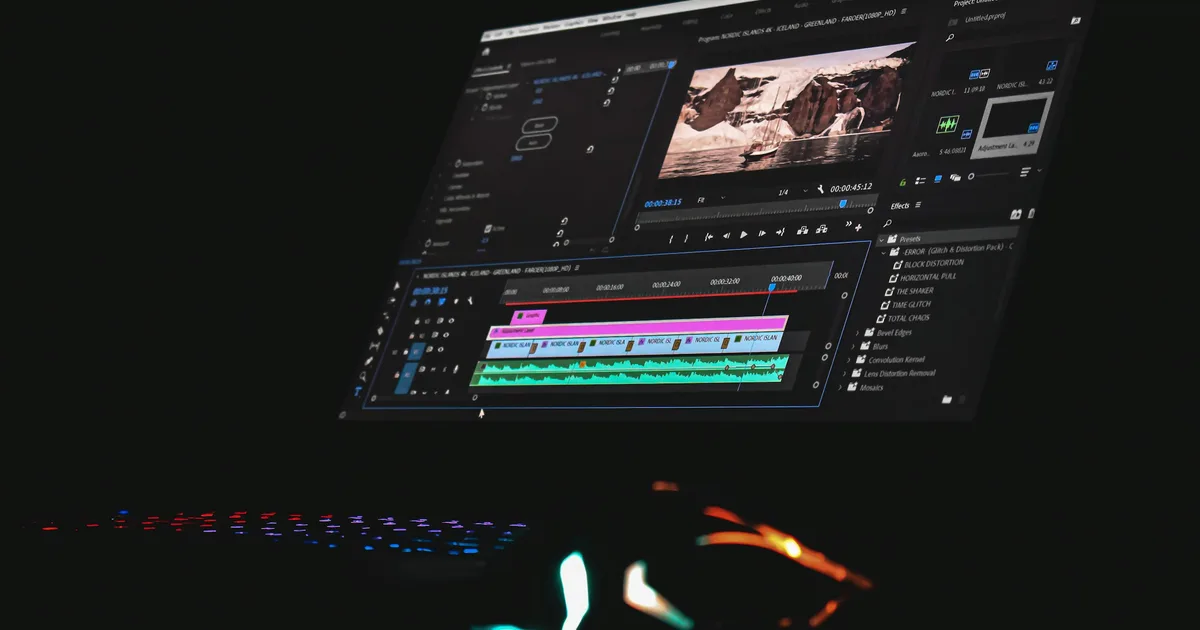
Premiere Pro. Place a PNG or text (Type tool, T key, or the Essential Graphics panel) on the V2 track above the main video and stretch it to fill the entire timeline. In the Effect Controls panel, find Opacity and decrease it. If you have a lot of clips, you can add the same logo when exporting to Adobe Media Encoder: there's an Image Overlay effect with its own opacity setting.
DaVinci Resolve. The free version is sufficient for this. On the Edit page, place the PNG on the Video 2 track above the main clip and stretch it to the desired length. In the Inspector, open Transform to shrink and move the logo, and in the Composite section, decrease Opacity. Add a text mark using Effects → Titles.
CapCut. On a phone, add the logo using Overlay and text using Text. On a computer, simply drag the PNG onto the track above the video. The added layer has an Opacity slider. CapCut's menu item names change from version to version, but the logic is the same everywhere: overlay over video, size, location, opacity.
What if there are ten recipients? A personalized watermark in the editor is a separate export for each: ten names—ten files, ten uploads, ten links. On a second project, this gets annoying. Therefore, for personalized watermarks, tools that automatically overlay the viewer's name during viewing, rather than during export, are more convenient. In VodSpot, for example, you upload one file, and each of the ten recipients sees their own email address overlay—no need for ten exports.
Bad habits to avoid:
- A watermark on the final film for the client who paid. The couple who received the wedding film with your logo in the center of the frame will remember the logo.
- A watermark in the very corner "so it doesn't get in the way." It will be cut off the first time it's published in vertical format.
- The same "CONFIDENTIAL" for everyone. It looks strict, but it doesn't work: it won't tell you who exactly leaked it.
Do Watermarks Stop Video Leaks?
The honest answer: physically, no. No watermark prevents someone from pointing a phone at the screen and pressing "record." A watermark does something else. It answers the question "who"—and that question itself changes the decision before the button is pressed.
The Story That Revealed Everything. In the winter of 2003–2004, films that studios sent to Academy members for Oscar voting began appearing online—some before their DVD releases, some before their theatrical releases. Among them were "The Last Samurai," "Master and Commander," and "Mystic River." The FBI examined the pirated copies and found a digital watermark that distinguished one tape from another. All seven films were linked to the same person: Carmine Caridi, a character actor who had been a member of the Academy for twenty-two years. Caridi admitted sending his screeners to a friend in Illinois, who copied them and posted them online.
Further events unfolded quickly. The friend was arrested, and hundreds of screeners and copying equipment were found in his home. For the first time in its history, the Academy expelled a member. Warner Bros. filed a lawsuit, and the court ordered Caridi to pay the studio $300,000—the maximum the law allows for willful infringement, $150,000 for each film.
And a story where the watermark wasn't enough. In the spring of 2009, a month before its theatrical release, a nearly finished work copy of "X-Men Origins: Wolverine" leaked online. Fox managed to get it removed within about a day, but according to prosecutors, the film had already spread in millions of copies. The person who leaked it was found and sentenced to a year in federal prison. But where he got the copy was never determined. The trail ended with him.
Put these two stories together, and you get the main point: a watermark doesn't close a door; it leaves a fingerprint. If the fingerprint is there and leads to a specific person, the leak becomes a personal risk. If not, the culprit is sought through circumstantial evidence and often never found.
And what do the numbers say? Andy Baio, an American programmer and blogger, has been checking for twenty years how many Oscar nominee screeners were leaked online before the ceremony. From 2003 to 2007, more than 80% leaked each year. In 2023, not a single one. It would seem a victory for watermarks. But Baio himself writes that it wasn't about accountability among Academy members, or watermarks, or new copy protection: screeners simply lost their value. DVD quality is of no use to anyone when the film will be streaming in 4K in a few weeks anyway.
This is an honest and useful lesson. A watermark isn't the only reason people don't leak videos. Sometimes, it's more important that there's no reason to leak them, and that leaking them is unprofitable.
Eyes on the Wall. There's a famous experiment about the effects of the feeling of being watched. Melissa Bateson, Daniel Nettle, and Gilbert Roberts of Newcastle University spent ten weeks monitoring an "honesty box" in the coffee room of their psychology department: employees themselves dropped money into a box for tea and coffee. A small banner hung above the price list, and the image on it changed every week: sometimes flowers, sometimes a pair of eyes. In weeks with eyes, people paid almost 2.8 times more than in weeks with flowers. The study was published in the journal Biology Letters, and the "eyes on the wall" quickly became famous.
But honesty requires the rest of the story. Later researchers tried to replicate the effect, and not everyone succeeded. Stephanie Northover and her colleagues collected dozens of experiments on generosity and reported in the journal Evolution and Human Behavior that images of eyes, on average, do not make people more generous. However, Keith Dear, Kevin Dutton, and Elaine Fox of Oxford, in the same journal, analyzed experiments on something else—antisocial behavior, that is, rule-breaking and minor offenses. In their studies, "watching eyes" reduced the risk of violation by an average of 35%.
Leaking someone else's film is more about bad behavior than generosity. Therefore, a cautious parallel suggests itself: the viewer's email address over the frame is the same eyes on the wall, only with their own name. This is not proof, but a reasonable hypothesis. But unlike the eyes in the coffee room, the watermark has a second layer—if a leak does occur, it will reveal whose copy it is.
What the watermark can and cannot do. Here's an analysis of typical scenarios.
| Leak Scenario | Will a Watermark Help? | What Else is Needed? |
|---|---|---|
| The Link Was Forwarded to a Third Party | No: The Third Party Will See the Video | Password or Email Login — Learn More in the Video Password Guide |
| The Viewer Recorded Their Screen with a Phone | Yes, if the watermark is personalized: Their Name Will Be in the Recording | Link Expiration Date to Keep the Recording Window Short |
| The Viewer Downloaded the Original | No, if the watermark is only applied in the player | Disable Downloads for Sensitive Materials |
| The Link Lives for Years and Is Forgotten | No | Expiration Date and Access Revocation — Learn More in Our Cloud Storage Risk Study |
| Someone in the Contractor Chain | Yes, if everyone has their own copy or their own login | Separate access for each user, not a single "for everyone" link |
This leads to a simple conclusion: watermarks work in tandem. The password determines who gets in. The watermark determines what happens if the user misbehaves. At VodSpot, both sides exist on the same delivery page: the viewer logs in using a code sent to their email, and the same verified address appears as a translucent text over the film (Studio and Production plans).
Video Watermark vs. DRM
They are often confused, but they do opposite things.
DRM (Digital Rights Management) is a lock. The video is encrypted, and the decryption key is given only to a trusted player on a trusted device. This is the foundation of Netflix, Disney+, and other major services. There are three systems: Google's Widevine (Chrome and Android), Apple's FairPlay (Safari and iPhone), and Microsoft's PlayReady. DRM prevents you from downloading and copying a file, and on many devices, it even turns screenshots into a black rectangle.
A watermark is a signature. It doesn't lock anything or prevent you from viewing it. It only reveals where the copy came from.
DRM also has a weak point—what engineers call an "analog hole." No matter how securely encrypted a video is, it ultimately turns into light on a screen and sound in the speakers. Point a camera at the screen, and the encryption is useless. This is where a watermark comes into play: screen recording will preserve it.
| DRM | Watermark | |
|---|---|---|
| What it does | Prevents you from copying a file | Tells you whose copy it is |
| Against camera screen recording | Powerless | Works if the mark is personal or forensic |
| Viewer convenience | May have issues with older browsers and devices | Invisible or nearly invisible |
| Cost | Licenses and integration, typically for large platforms | From free editors to enterprise systems |
Large streaming services use both: DRM protects the file, and a forensic mark catches those who filmed the screen. For a small studio, full-fledged DRM is usually overkill – a password, email login, and a visible personal mark cover most of the real risks. We'll cover DRM in more detail and when it's really needed in a separate article.
For Filmmakers and Agencies: Sending Screeners and Pre-Release Ads
If you're sending a film out before its release—to distributors, festival selectors, the press—or showing a client a pre-release ad, a leak isn't just an abstraction. It's a disrupted premiere, a broken embargo, and a client who won't call again.
The chain is always longer than it seems. Before the premiere of "Hulk," Universal Studios sent an unfinished work print of the film to a Manhattan advertising agency with the understanding that no copies would be made. An agency employee lent the print to a friend, who lent it to his friend, a New Jersey insurance underwriter named Kerry Gonzalez. The print contained a hidden tag that could be used to track it, and Gonzalez even ran the file through software to destroy the tag. On June 6, 2003, he released the film online—two weeks before its release. The tag didn't save the film from being leaked, and the program didn't save Gonzalez: in July, he pleaded guilty in federal court, received six months of house arrest, three years of probation, a fine, and lost his job.
Note the chain. The studio trusted the agency. The agency trusted the employee. The employee trusted a friend. Each step seemed innocuous: "I'll just show it to them." None of them thought they were participating in a leak.
How it works in a small studio. Imagine Rebecca, a documentary filmmaker from Austin. Her film has been selected for a festival competition, and three distributors are simultaneously interested. She needs to send a screener to five people, two of whom will likely show it to their colleagues. If she sends a single shared link, once it's passed around someone else's office, she won't know who watched what.
Instead, Rebecca creates five separate pages—one for each recipient. Access is via email code, downloads are disabled, and access expires when selection ends. Over the film runs each viewer's own address, translucent. A distributor who wants to show the film to a colleague will do so in their conference room, with their name on the screen. And they'll likely simply ask Rebecca to send a separate link for their colleague. This is exactly the kind of behavior she's looking for.
It's the same with agencies. Marcus, an account director at an agency in Chicago, sends a client a spot for a major sports broadcast a month before it airs. The client isn't just one person, but also includes marketing, legal, management, and a media buying contractor. A separate login for each person and a name on the screen transforms "I'll just forward it" into "I'd better ask Marcus to add her to the list."
Where is this available on VodSpot? On the Studio and Production plans, you can enable a watermark on the delivery pages: the viewer's confirmed email address and/or your own text up to 80 characters long, otherwise the sender's name. The translucent text moves across the frame every seven seconds and remains visible in full-screen mode. Production also has a strict screener mode: a confirmed viewer is remembered for only one day, after which they need a code from their email address again. This works together with passwords or email login, expiration dates, access revocation, and an email to you when the client first opens the page. For more information on closed jury screenings, see the articles on video for festivals and video for film schools, and for password protection, see the password-protected video hosting page.
Fair restrictions. The VodSpot watermark is an overlay in the player, not a forensic mark within the file, and it is not DRM: VodSpot doesn't offer DRM. The watermark is not applied to downloaded originals, so it's best to disable downloading for sensitive materials. The embedded playlist doesn't verify the viewer's address, and instead displays the page text or the sender's name. Plans are Studio for $149 and Production for $399 per month excluding taxes. The trial period doesn't include a watermark, but you can verify everything else: pages, passwords, email logins, and how the film opens on the client's device. If you need an invisible mark that will survive someone filming a theater screen, that's a task for specialized forensic mark providers and studio-level budgets.
See how secure video hosting works on your next screener: Start a 7-day free trial — no card required.
Master's Signature
Seven hundred years ago, a papermaker from Fabriano wove a wire cross into the mold. Not for protection. Simply so that anyone holding the sheet up to the light would know whose work it was.
It's the same with video. Months of filming. Nights in the editing room. Color that took you a week to find. Sound that took three rewrites. A watermark won't save a film from everyone who tries to steal it. But it reminds everyone who watches: this work has an author. And this copy has an address.
Sometimes that's enough to keep someone from hitting "forward."
Frequently Asked Questions
What is the purpose of a watermark on a video?
A watermark shows whose video it is, and a personalized watermark also shows who was entrusted with it. A logo protects authorship and branding, the inscription "DRAFT" prevents a draft from being passed off as final, and a viewer's email address over the frame discourages recording and forwarding the video. A forensic invisible watermark is needed to find the source of a leak after it has already occurred.
What is a dynamic watermark?
It's a visible mark that changes: each viewer sees their name or email address, and the inscription moves periodically across the frame. It can't simply be cut off or blurred in a corner, and screen recording immediately reveals whose copy it is. Such marks are used by screener and private screening platforms—for example, VodSpot on the Studio and Production plans—as well as paid courses.
What is forensic watermarking?
This is an invisible code embedded in an image or audio file that survives compression, cropping, and even phone screen recording. A special program extracts the code from a leaked copy and determines which showtime, device, or theater it came from. It's used by studios, cinemas, and large streaming services; for smaller studios, it's usually too expensive and complex.
Can a watermark be removed from a video?
A static logo in the corner can often be cut off or blurred, making it a weak protection feature. A watermark that moves across the entire frame is much more difficult to remove without damaging the film, and a forensic invisible watermark is specifically designed to survive such attempts. Removing someone else's watermark to pass off the video as your own or distribute it usually violates copyright.
Does a watermark reduce video quality?
A watermark embedded directly in an image requires re-exporting, and each recompression slightly reduces quality—so keep a clean master separate. The overlay in the player doesn't affect the file at all: the video remains the original, and the caption is drawn over it during playback. Forensic marks are embedded so that the difference is invisible to the naked eye.
How do I add a watermark to a video for free?
iMovie on Mac, DaVinci Resolve in the free version, and CapCut all offer this feature for free. A PNG logo with a transparent background is placed on the track above the video, stretched to its full length, and the opacity is reduced until the mark is no longer obtrusive. A text mark is added as a regular title.